
eReader-eBooks,Webnovels&More
eReader LTDEntertainment
4.3466.00 Reviews
- Version
- 3.1.4
- Installs
- 100.00K
- Age Rating
- Teen
Screenshots



Our Review of eReader-eBooks,Webnovels&More
 Analysis by Appyee
I approached eReader-eBooks,Webnovels&More as a reader looking for a large entertainment library rather than as someone choosing a traditional digital bookstore. The app’s focus is ongoing popular novels, so its appeal is easy to understand: it is built for people who enjoy returning to the same stories repeatedly, following long-running fiction, and browsing for something new when a finished book is not enough.
My overall impression is positive, but not uncomplicated. The app is free to install, and its 4.3 average from around 4.8 thousand ratings suggests that many readers find the experience worthwhile. At the same time, the catalog style and reading model will not suit everyone. If you prefer carefully edited standalone books, a fixed purchase price, or a simple library with no learning curve, a conventional ebook store may feel more comfortable.
What using the app feels like in everyday reading
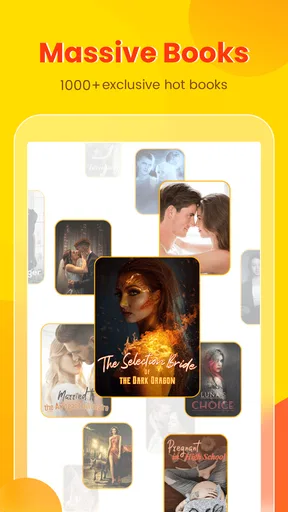
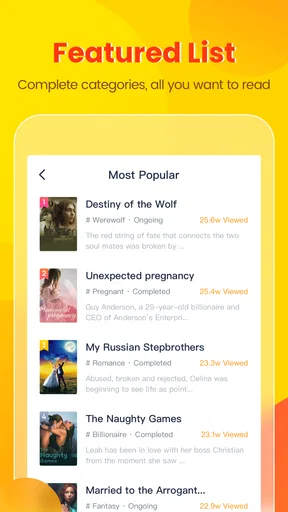
The first thing I noticed is that this is best understood as an entertainment app centered on serialized fiction. The store summary describes massive popular novels that are still ongoing, and that emphasis changes how I use it. I do not open it only when I already know the exact book I want. I use it more like a place to browse, sample a story, and decide whether I want to follow its continuing releases.
That makes it a good companion for short reading sessions. I can read a few chapters while waiting for an appointment, continue a story before bed, or keep a long novel available for moments when I want something lighter than a film. The format also works well for readers who enjoy suspense created by stopping between installments. The drawback is that an ongoing story may not provide the closure I want when I am in the mood for a complete book.
The developer is eReader LTD, and the current version is 3.1.4. The app runs on Android devices using version 7.0 or newer, which covers many phones still in everyday use. Its Teen content rating is also worth taking seriously. I would not treat the library as automatically suitable for children simply because the app is easy to install; parents should make their own judgment about the individual stories being read.
Where readers are most likely to get stuck
The biggest source of friction is not necessarily reading itself. It is understanding the difference between discovering a story, opening a chapter, and continuing it later. With a large fiction catalog, the first screen can feel busy, especially if I am browsing without a particular title in mind. I found it more useful to slow down and decide whether I wanted to search for a known novel or explore recommendations instead of tapping through every visible option.
Another common stumbling block is the expectation that every book will behave like a purchased ebook. A serialized reading app may organize stories around chapters and continuing updates rather than around a single downloadable volume. That means a reader who expects one uninterrupted file may feel that the experience is fragmented. I recommend checking how a title is presented before committing to it, especially if you want to read the entire story in one sitting.
Payment can also create confusion. The app is free, but it includes in-app purchases ranging from $0.99 to $99.99 per item. I would not interpret “free” as meaning that every part of every reading experience must be available without charge. Before spending anything, I would look carefully at what the purchase unlocks and whether it is connected to one story, a group of chapters, or another part of the reading process. This is a simple habit, but it prevents the most avoidable disappointment.
For that reason, I would begin with a title I am genuinely curious about rather than immediately spending money to accelerate reading. The free starting experience is more useful when treated as a trial of the app’s writing style, navigation, and chapter rhythm. If those basics feel awkward, paying more will not solve the underlying problem.
Setup checks that save time later
My setup routine for this app is deliberately simple. First, I check that the phone is running Android 7.0 or later. If the device is older, installation or normal operation may be limited by the operating system rather than by the app itself. This is especially relevant when someone is moving the app to an older spare phone and assumes that a small reading app will work everywhere.
Next, I make sure the app has enough room to operate comfortably and that the phone is not already struggling with storage. I do not treat this as a special requirement of the reader; it is a sensible check for any app that loads a large amount of changing content. If pages or lists behave strangely during the first session, I would first close other demanding apps and retry before assuming the account or library is broken.
I also recommend beginning with a stable connection. The first browse and reading session is the wrong moment to test the app in a weak signal area, because it becomes difficult to tell whether a delay comes from the service, the phone, or the network. Once the basic reading flow feels normal, I can make a more informed judgment about how well it suits my routine away from home.
Finally, I take a moment to notice how the app presents my reading position. With serialized fiction, remembering the last chapter matters more than it does in a casual article reader. I avoid jumping rapidly between many stories during the first session. Instead, I open one title, read far enough to understand the navigation, leave it, and then return to see whether continuing feels obvious. That small test tells me more than simply checking whether a chapter opens.
A practical workflow for finding and following stories
My preferred workflow has three stages. I start with discovery, narrow the choice to one or two promising novels, and only then decide whether a story deserves regular attention. This avoids a familiar trap in large catalogs: spending more time browsing than reading. If I already know a title or a particular type of novel I want, searching directly is usually more efficient than relying entirely on the home screen.
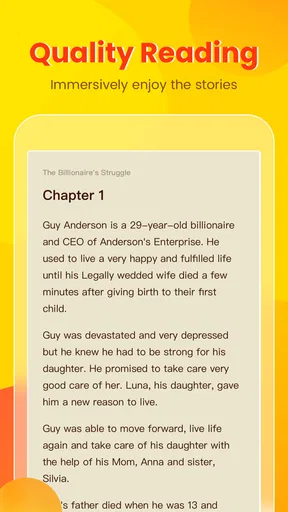
When I find a possible match, I sample the opening rather than judging the whole app from its description. I pay attention to chapter length, pacing, and whether the story feels comfortable on a phone screen. These details matter because serialized fiction can be enjoyable in short bursts but tiring if every installment ends before a satisfying pause. A reader who mainly wants long, uninterrupted chapters should make that judgment early.
After choosing a story, I keep my reading list focused. I would rather follow a few novels consistently than collect dozens and lose track of them. This is one of the less obvious trade-offs of a large ongoing library: abundance feels useful at first, but too many unfinished stories can turn entertainment into housekeeping. A small personal rotation makes it easier to remember characters and return without spending several minutes rediscovering where I left off.
For a realistic everyday example, imagine that I have ten minutes on a bus journey. I open the app, return to one ongoing novel, read a chapter or part of one, and close it before reaching my stop. Later that evening, I use the same title rather than starting another. This routine works because the app supports a continuing relationship with a story; it is less suitable if I only want to download one complete book and forget about the application until I finish it.
How I recover when reading does not resume properly
If a story does not appear to continue where I expected, I first return to the title through the app’s normal browsing path instead of repeatedly tapping the same reading control. I check whether I opened the correct story and whether I am looking at the chapter list rather than the reading screen. In a large catalog, choosing a similarly named title is an easy mistake, particularly when several novels share familiar themes.
If the screen appears stuck, I close and reopen the app, then try again on a reliable connection. I avoid immediately reinstalling it, because that can create unnecessary work and may not address a temporary loading problem. A restart is a safer first step and helps separate a momentary issue from a repeatable one.
When the problem continues, I test another title. This is a useful diagnostic that many readers overlook. If a second story opens normally, the issue may be limited to the first title or its current content state. If nothing loads, I look at the network and device conditions before blaming a particular book. I also keep the app updated when a newer version is offered, since the installed version can affect compatibility and stability.
I am careful with purchases during troubleshooting. If a chapter is slow or fails to open, I would not buy the same item repeatedly in the hope that payment will force it to work. I would first restart, verify the selected title, and confirm that the connection is stable. That approach protects both time and money while making the actual cause easier to identify.
When the app is not the cause
Reading problems often look like application problems when they are really device problems. A phone with very little free storage, an overloaded background process, or an unstable mobile connection can make any content-heavy app feel unreliable. I have learned to compare the behavior with another ordinary online activity before drawing a conclusion. If other services are also slow, changing reading settings will not fix the underlying connection.
The operating system matters as well. Since the minimum supported Android version is 7.0, I would check the phone’s software before asking why installation or updates are unavailable. An older device may also have weaker performance even when it technically meets the minimum. That does not make the app unsuitable by definition, but it does make a clean, uncluttered setup more important.
Account and payment confusion deserves the same separation. A reading screen that loads slowly is one issue; a purchase that is not recognized is another. I would record the title involved, avoid making duplicate purchases, and use the app’s own support route if the problem remains. Keeping those situations separate makes it easier to explain what happened and prevents a general complaint about “the app” from hiding a specific transaction or connection issue.
There is also a content expectation that cannot be repaired through troubleshooting. If I dislike unfinished plots, frequent cliffhangers, or the feel of reading novels in installments, the app may be working perfectly and still be the wrong choice. In that situation, a traditional ebook retailer or a library app offering complete books would be a better match. No amount of setup adjustment changes the basic difference between serialized entertainment and a finished digital volume.
Who will enjoy it, and who should choose something else
I would recommend this app to readers who enjoy discovering popular web fiction, following ongoing novels, and reading in short, repeatable sessions. It is particularly appealing if I want a broad entertainment catalog without paying an upfront installation price. The combination of a free app and a continuing-fiction focus makes it easy to experiment before deciding which stories deserve more of my attention.
I would be more cautious if I were buying for a young reader. The Teen rating means I would review the individual content personally rather than assuming that every novel shares the same tone. I would also be cautious if I dislike optional spending inside reading apps. The available purchase range is wide, so I would set a personal rule before browsing: read free material first, understand what a paid item provides, and never purchase simply because a story has created urgency.
Compared with a standard ebook store, this app feels more like an ongoing reading community and discovery shelf than a digital replacement for a physical bookstore. A conventional store is usually better when I know the exact author, want a complete book, or prefer a clear one-time purchase. Compared with a general reading app, this one is more focused on serialized novels, which is a strength for the right reader but a limitation for someone seeking magazines, reference books, or a broad nonfiction collection.
My most useful tip is to judge it by a complete personal routine rather than by the first browse. Install it, confirm that the phone meets the Android requirement, try one story on a stable connection, leave the app, and return to that same story later. Then decide whether the navigation, chapter rhythm, and payment boundaries feel clear. This test reveals the practical experience far better than simply counting how many titles appear on the opening screen.
My practical verdict
After using it as a serialized-fiction reader, I see eReader-eBooks,Webnovels&More as a worthwhile free entertainment option for people who enjoy ongoing popular novels and do not need every story to arrive as a finished volume. Its 100K-plus installs show that it has reached a substantial audience, while the 4.3 average indicates a generally favorable reception. The app’s age rating, optional purchases, and catalog style are not minor details, though; they should shape how I recommend it.
The strongest experience comes from treating the app as a regular reading habit. I choose a small number of stories, keep my connection and device in good condition, and use the free access period to decide what genuinely holds my interest. When something goes wrong, I check the title, connection, operating system, and app restart before assuming that a purchase or reinstall is necessary.
My bottom line is simple: choose this app for continuing web fiction and flexible browsing, not as a direct substitute for a traditional ebook shop. If that distinction matches what you want, eReader LTD has made a useful place to explore long-running stories. If you want complete books, predictable one-time pricing, or a catalog centered on subjects beyond fiction, another reading service will probably fit your habits better.
Verdict
Strengths of eReader-eBooks,Webnovels&More
- Supports multiple ebook and webnovel formats for flexible reading.
- Personalized recommendations help discover new stories quickly.
- Reading progress sync keeps your library updated across devices.
- Adjustable fonts, themes, and layouts improve reading comfort.
- Offline access lets you continue reading without an internet connection.
Limitations of eReader-eBooks,Webnovels&More
- Some books or chapters may require separate purchases or subscriptions.
- The free catalog can vary significantly by region and language.
- Frequent notifications may feel distracting for some readers.
- Advanced reading features may take time to learn and configure.
- Content quality can be inconsistent across independent webnovels.
Similar Picks in This Category
View All
Google Play Games
Google LLC3.9

Netflix
Netflix, Inc.4.8

YouTube Kids
Google LLC4.2

Disney+
Disney4.4

Prime Video
Amazon Mobile LLC4.7

Steam
Valve Corporation3.2
Frequently Asked Questions
What is eReader-eBooks, Webnovels & More?
eReader-eBooks, Webnovels & More is a digital reading app designed for users who enjoy ebooks, serialized web novels, and other written content in one place. After exploring the app, its main appeal is the combination of a personal reading library, discoverable stories, and reading tools intended for longer sessions. The available catalog and features may vary depending on your region, device, and account settings.
Does eReader-eBooks, Webnovels & More offer free books and web novels?
The app may include a mixture of free titles, previews, and content that requires payment, credits, or a subscription, depending on the publisher and the specific book. Before downloading or starting a story, users should check the title’s information page carefully. Some web novels can also be released chapter by chapter, so the full reading experience may not always be available without additional purchases.
Can I read books offline with eReader-eBooks, Webnovels & More?
Offline reading availability depends on the title, the app’s current version, and the way the content is licensed. If downloading is supported, you generally need to save the book or chapter while connected to the internet before opening it offline. It is also worth checking storage permissions and keeping the app updated, because downloaded content may occasionally require online verification.
Is eReader-eBooks, Webnovels & More suitable for children?
The app may contain books and web novels aimed at different age groups, including mature themes, romance, violence, or language that is not appropriate for younger readers. Parents should review the available catalog, ratings, descriptions, and account settings before allowing a child to use it. If parental controls or content filters are provided, configure them rather than relying only on the app’s general recommendations.
Does eReader-eBooks, Webnovels & More require an account or include in-app purchases?
Some functions may be accessible without registration, but an account can be required to synchronize reading progress, save favorites, manage a library, or use purchases across devices. The app may also offer in-app purchases for premium ebooks, locked chapters, credits, or subscriptions. Review the payment terms and cancellation rules before confirming a transaction, especially if the app uses recurring billing.
